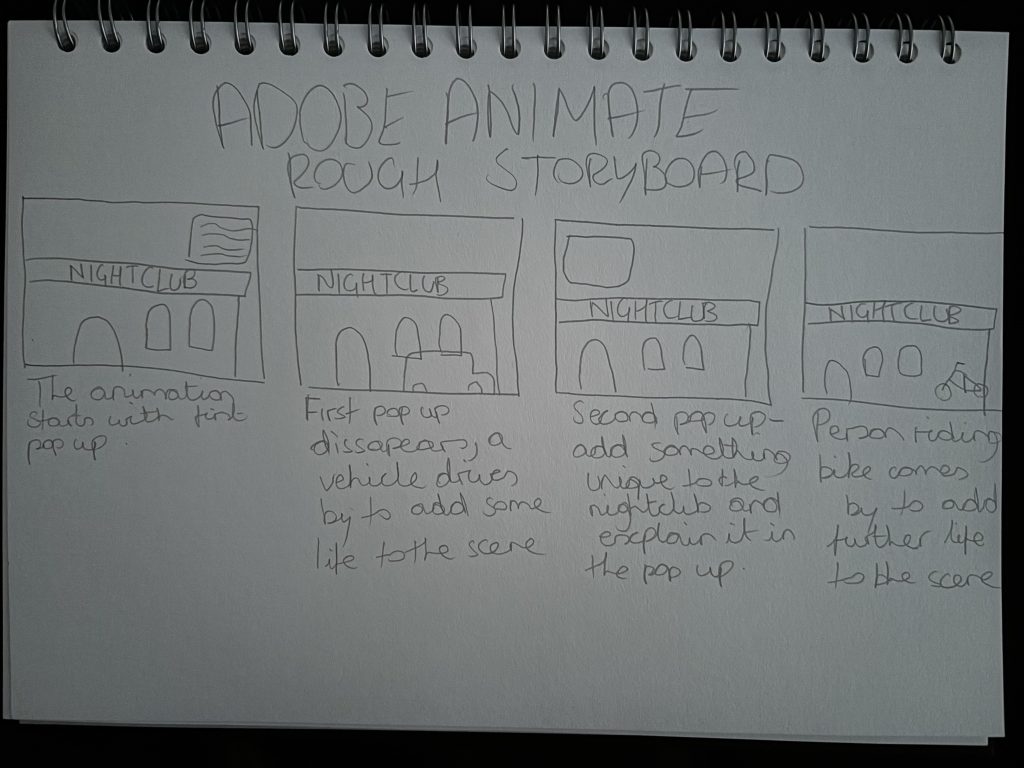
For this first exercise within Adobe animate my initial idea was to create an interactive web based advert on a nightclub that is strictly for current/active university students.
I began to planning of my animation by doing a quick rough storyboard on paper, this allowed me to plan out how the animation will play, my plan was to have a number of buttons within the animation that brings up pop ups with information within them about the nightclub and what it offers. I also wanted to include some sort of vehicle passing by to add a bit of atmosphere to the animation and give it a bit more life so that it wasn’t just a static image with pop ups. For this advert I wanted to try and add something to the nightclub that was unique and not offered by a majority of nightclubs which is why I added the taxi service and also a balcony. This exercise I found very helpful for a number of reasons, firstly I learned how I can animate any piece of work that I create and can import from programs such as illustrator and photoshop which is something that could be useful to me in the future to create more advanced pieces of work. The use of key framing and animating the project overall was useful as this is helpful for other programs that use key framing and made it easier for me to do so as it is quite similar and I have gained the basic knowledge of how to use them. The knowledge gained from the exercise to create a web based advert and how to create a piece of work that is interactive is very helpful as it again can be something I use in the future in my work.