There are many design principles that should be considered and followed when creating a website or app in order for it to be successful and accessible to the wider public.
To begin with, usability is a very big part of the UX of your website and should be one of the first things to be considered when creating a website or app. Users should be able to perform tasks quickly and efficiently and when first accessing a webpage/ app should be able to navigate their way around the page without struggle and with ease. Furthermore, another thing to design an app/website around is the client/user goals, below is a screenshot from a part of my Freedom Festival website.

To ensure that my design is effective and easy to use for the user I have placed necessary categories at the top of my webpage which include vital information about the Festival to match the client/user goals and have positioned it in a place that should be easy to find and access for the user, they will be in that same position on every page too in order to create familiarisation and consistency within my design- consistency been another important principle.
Consistency is vital when creating an interface, familiarity is important and creating an interface as it helps avoid any confusion within the user, and also having a consistent design can help with the learnability of the interface making the user more comfortable creating a positive user experience. To keep an interface consistent there are multiple things that can be done, for example, using the same colour, style and design elements, below are a few examples of how I’ve kept my design consistent.
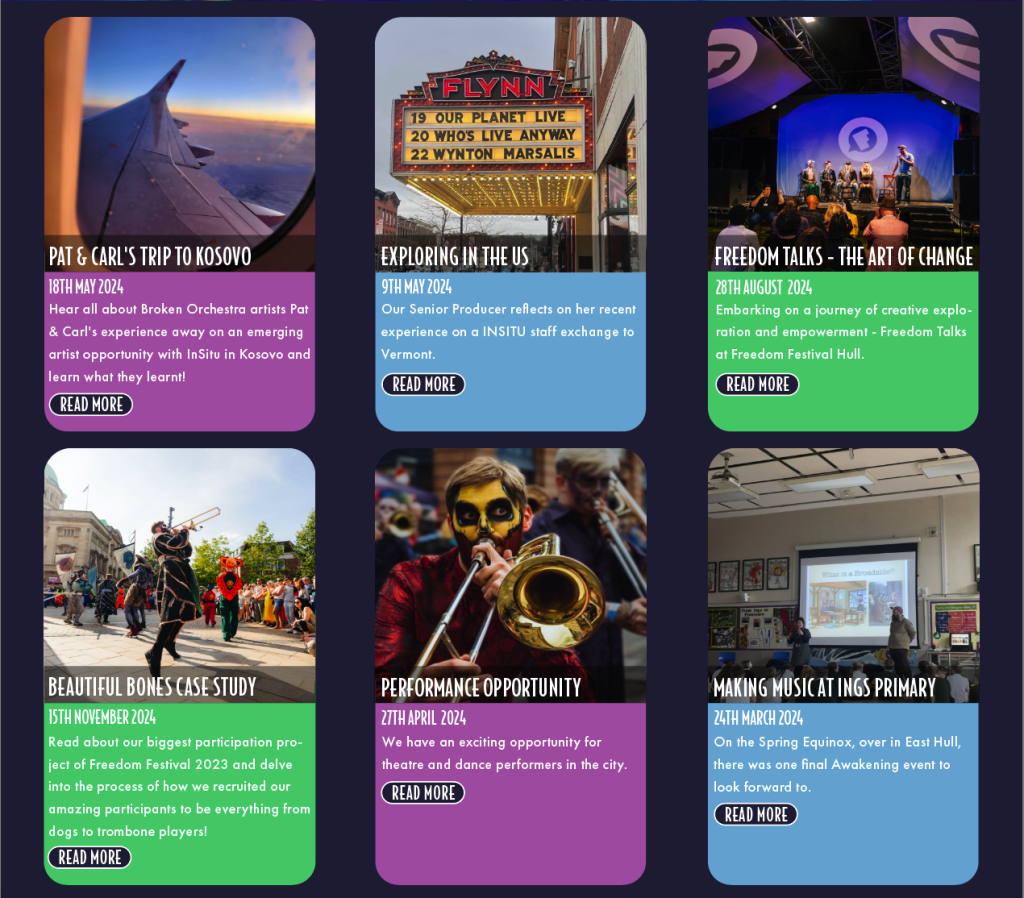
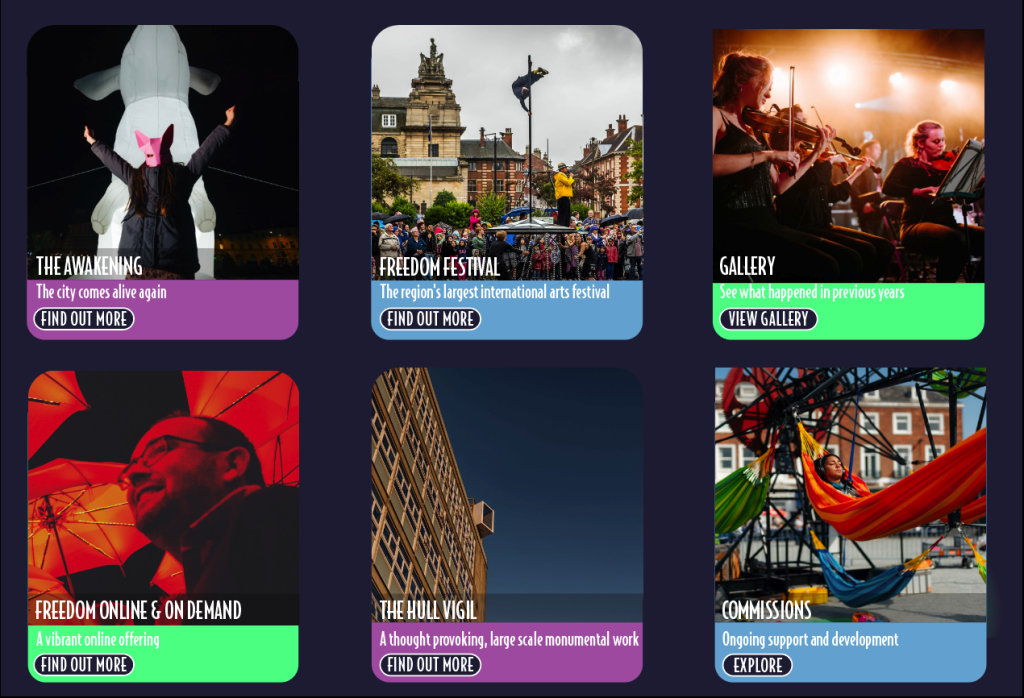

I used the same buttons throughout, card like designs for the subjects on a page and colour throughout the background, also the positioning of headings throughout the site will be placed in the same position.
Another important thing to consider is accessibility, and there are a number of things that need to be done in order to make the app/ site accessible to everyone, to start with, the site will need to be accessible with a keyboard which is something that will be available on my site. Your site/ app will need to meet the WCAG Level AA and AAA, AA requiring a contrast level between background and text of at least 4.5:1 for normal text and 3:1 for larger and AAA require a contrast ratio of at least 7:1 for normal text and 4.5:1 for larger I have tested my site and have included the results below.

https://webaim.org/resources/contrastchecker/
In order to pass WCAG Level A your site should not depend on colour with design elements, which within my design I have countered this and made sure to pass by using both colour and icons along with it for those who may be colour blind for example. Below is an example of how I have included crosses and ticks to show something is either correct or incorrect.

Adobe XD makes it very simple and easy in order to create a site or app that has all of these principles. For example, in order to create consistency throughout XD allows you to copy and paste something from one artboard to another, but will place them in the exact same position as they were in the previous artboard. The use of components helps create the use of buttons throughout and means you won’t have to repetitively keep creating them, and allow you to change the instance components to what you like. The features that are mentioned in the EX:1 blog are also all features that enables you to do this.